Data Search
The TianGong LCA Platform provides powerful full-text search capabilities, supporting cross-field searches across all data modules. This feature gives TianGong LCA Platform significant advantages in data retrieval compared to other LCA platforms.
Search Features
- Full-text search: Searches names, categories, flow properties, input/output flow names, and system-extracted text fields
- Smart matching: Supports fuzzy search, exact matching, and AI-powered recommendations; hybrid search keeps Chinese and English keywords, CAS numbers, and aliases in recall and falls back to text recall when semantic matches are insufficient. When a query contains an
ORexpression, the system splits top-level alternatives while preserving the raw search term - Scope and filters: Results follow the current data source scope, such as TianGong public data, commercial data, my data, or team data, plus the active filters
- ID and reference lookup: When you enter a complete dataset ID/UUID, the system prioritises exact matching. On Contacts, Flows, Flow properties, Unit groups, Sources, Processes, and Models lists, you can also enable Reference Lookup and search with a complete dataset UUID to see which records reference that ID
- Real-time results: Instant search results with multi-dimensional filtering and flexible sorting
Search Examples
Scenario 1: Process Data Search
- Navigate to "Open Data" module
- Select "Process" category
- Enter "coal" in search box
- System returns all matching results containing "coal" across fields including name, category, input/output flow names, etc.
Search results for "coal":
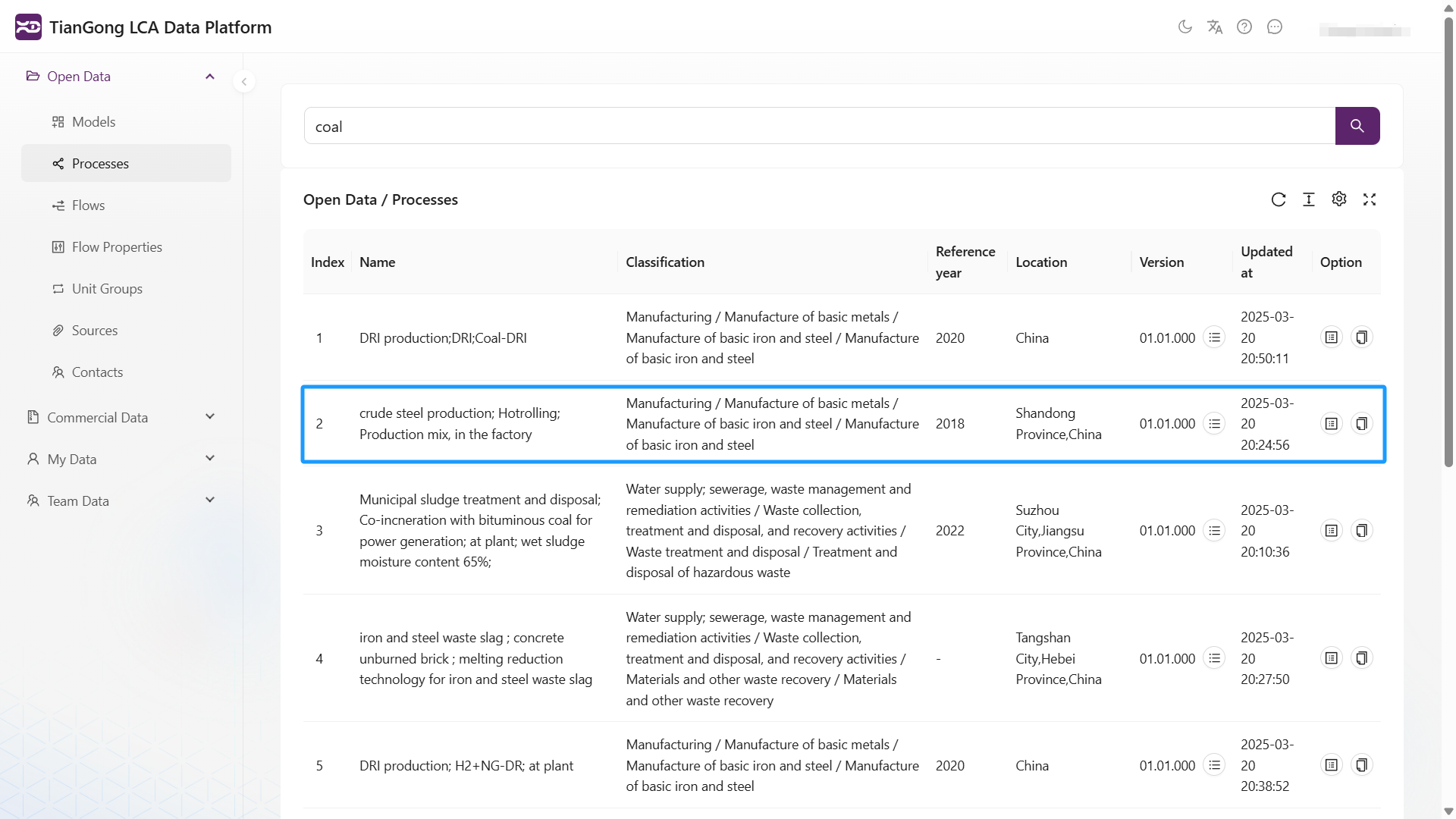
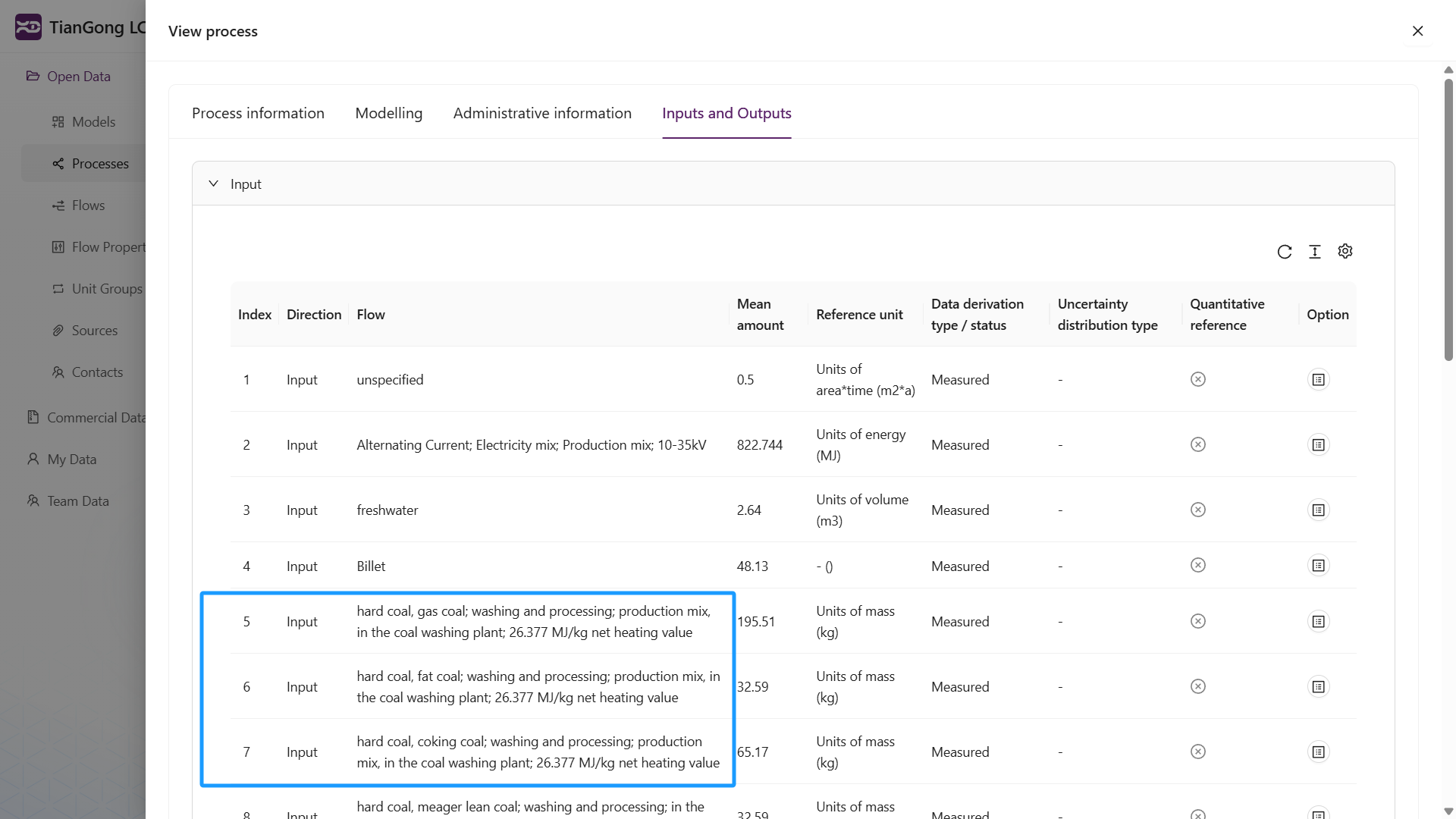
The "crude steel production; Hotrolling; Production mix, in the factory" process dataset appears because it uses "coal" as an input flow.
Important Notes
- Search results are subject to user permissions; "my data" and "team data" searches only return records the signed-in user can access
- Commercial data module only displays metadata search results
- Chinese terms, English terms, common abbreviations, and CAS numbers can use standardized aliases to improve recall stability. Raw search terms with parentheses, quotation marks, backslashes, or other special characters are normalized and safely escaped before text recall
- To trace where an ID is referenced, copy the complete UUID, enable Reference Lookup in the related data list, and search. If the input is not a complete UUID, the system asks you to complete it. Reference Lookup shows up to the first 50 results; if no rows return, no referencing records were found in the current data scope and permission boundary
- Using standard classification systems improves search efficiency